The new Colect admin panel, starting 17 November
From Tuesday 17 November, Companies, Users and Translations move to the new Colect admin panel. Collection setup stays exactly where it is, in the current backend.
There’s nothing you need to do. The first time you open one of these areas, you’ll be taken to the new admin panel and asked to sign in once. Same login page, same credentials.
Here’s what’s behind it.
We're rebuilding the Colect backend from the ground up. The new version is called the admin panel: same place for the same work, with a cleaner structure and a fresh design. All to increase efficiency and deliver an intuitive journey for admin users.
We're rolling it out in stages, and the first stage goes live on 17 November.
This first stage covers the areas you use to manage people, companies and translations, and lays the foundation for everything that follows.
What you’ll find in the new admin panel
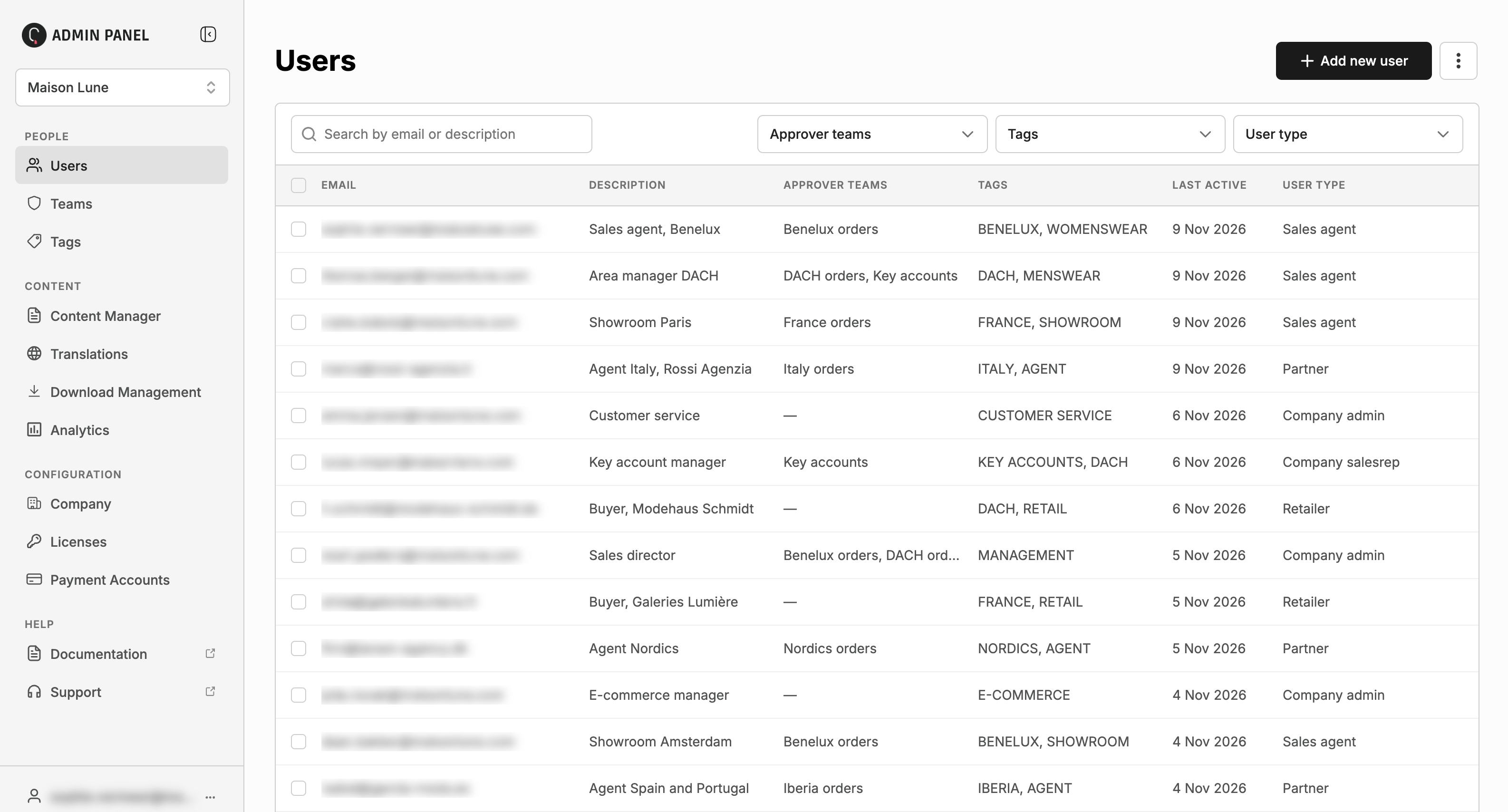
Users: find people quickly with search and filters for teams, tags and user type and assign teams and tags in bulk.
Company: your company details, with Licenses, Teams, Tags and Languages now on their own pages.
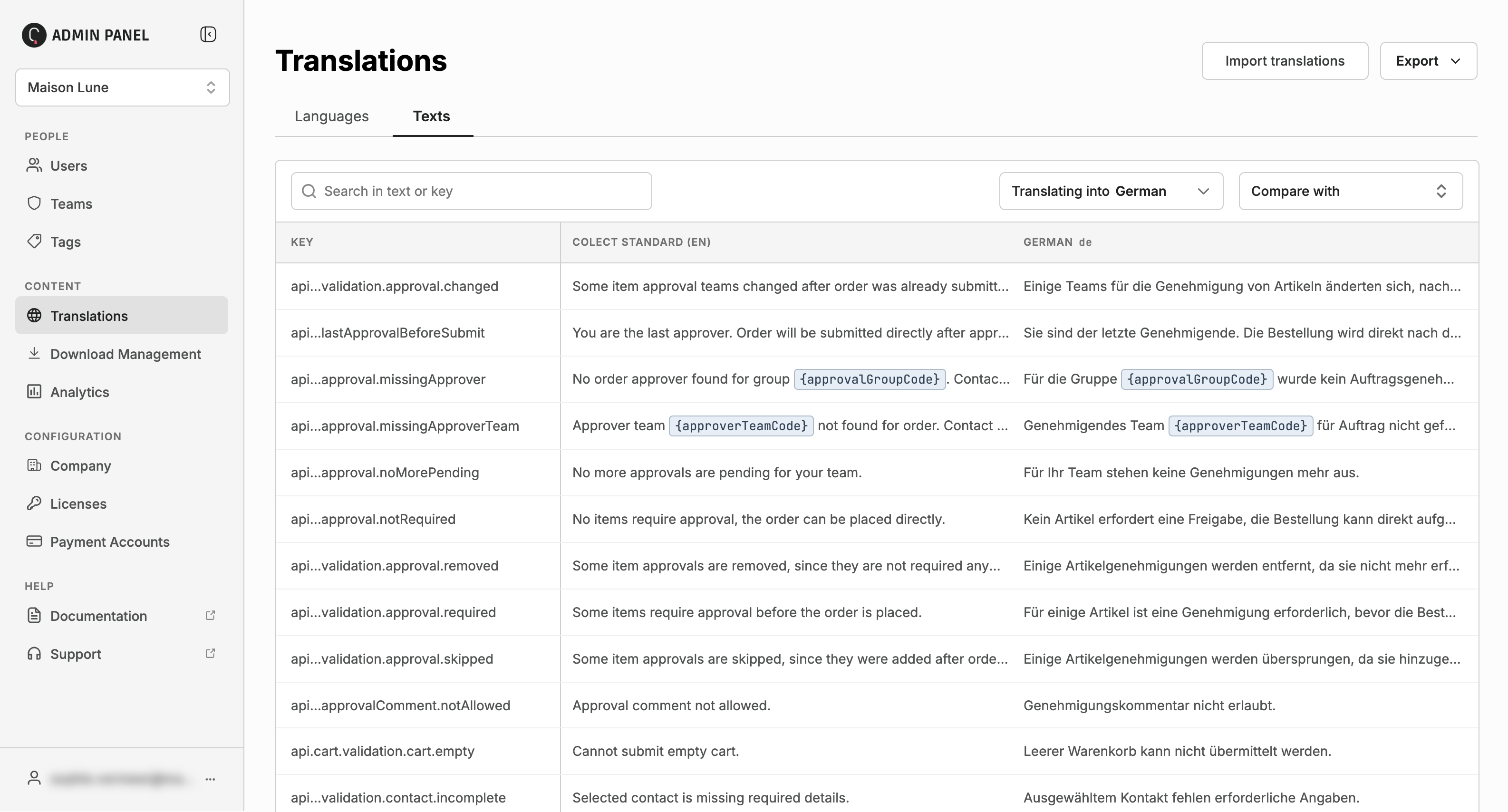
Translations: update translations directly in the admin panel, or update entire languages by uploading a csv, one or multiple languages at the same time.
What’s not changing yet
Collection setup stays exactly where it is. So do Info center, Connector Status, Webstores and Content Manager. Nothing about your collections or your Q1 preparation is affected.
What’s ahead
The rest of the current backend, including collection setup, will move to the new admin panel in stages. We’ll let you know well in advance each time.
Good to know
Step-by-step help for every page will be in the admin panel documentation. There will also be a from-to overview available, that provides an overview of replacements of settings and pages.
Links and bookmarks to these pages in the current backend take you to the info center, from where you can navigate to the new admin panel.
The bar at the top of the new admin panel, and Backend in its sidebar, always take you back to the backend.
We want to thank our admin users for their feedback and suggestions.
Questions
Do I need to do anything?
No. Just sign in once when you first open the new panel.
Can I keep using these pages in the current backend?
No. From 17 November, Companies, Users and Translations open in the new admin panel only.
Is my data affected?
No. Both use the same data. Nothing is moved, changed or lost.
Will collection setup change during my Q1 preparation?
No. It stays in the current backend, and we’ll give you plenty of notice before it moves.
Who do I contact?
Our support team, via Ask support in the Info Center.
To get announcements directly in your inbox, click Subscribe at the top of this page.